

Page Builder looks like the answer to a real problem: merchandisers want to change a banner without a dev ticket. It’s included in Adobe Commerce and, since 2.4.3, in Magento Open Source. For simple content it delivers. Push it harder and the limits show quickly.
What it is
A visual drag-and-drop editor for CMS pages, blocks, product descriptions and category pages. Editors drag content types onto a canvas (rows, columns, text, headings, buttons, banners, sliders, tabs, media, maps, HTML and more), configure them and preview, with no code. For a team that used to raise a ticket for every homepage banner, that’s a real improvement.
Where it works well
- Static and semi-static pages: landing pages, about pages, seasonal promotions. Editors build, save as templates and reuse.
- Category and product content: an editorial header, intro text and a promo block on a category page, without custom layout XML. Useful wherever category storytelling matters.
- Dynamic blocks (Adobe Commerce): content that changes by customer segment, with the rules in Commerce and the editing in Page Builder.
Where it falls short
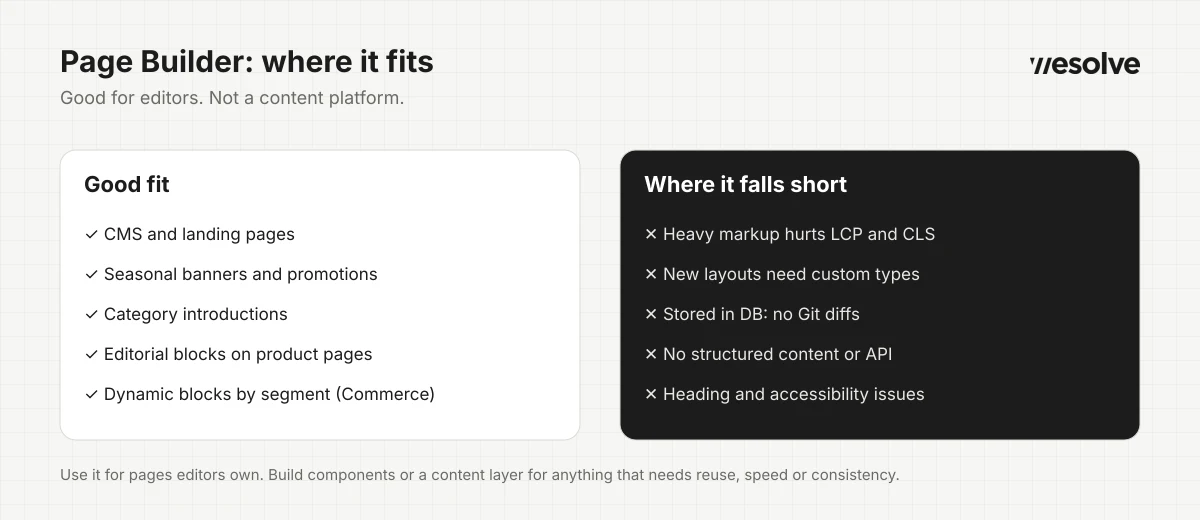
Markup weight. Each content type wraps its output in nested divs, inline styles and data attributes. A page with several rows, a slider and some blocks renders much heavier than hand-built templates, which hurts LCP and CLS. On Hyvä, Page Builder content needs Hyvä’s compatibility module and careful use, or it undermines the speed you built Hyvä for. (Speed optimisation)
Layouts beyond the built-in types. A carousel with custom filtering, a countdown tied to a promotion, a comparison layout: anything outside the type library needs a custom content type, built in PHP and JavaScript against the Page Builder API. The no-code promise only covers the types you’ve already built.
Staging and version control. Content is stored as serialised data in the database, not in files. You can’t diff it in Git, so reviewing changes between staging and production means reading raw data or relying on the visual preview. Content and code travel separately, which raises the risk of overwrites and awkward rollbacks.
No structured content model. It’s a layout tool, not a content system. No reuse across pages, no clean API for an app or headless frontend. That’s where teams move to a PIM or headless CMS. (PIM for ecommerce, headless Magento)
Accessibility. Heading hierarchy breaks depending on how editors structure pages, and inline styles make a consistent design system harder. For stores where accessibility compliance matters (increasingly, across Europe), output needs review.
The honest trade-off
Use Page Builder where it fits: CMS pages, simple landing pages, category introductions. Build custom components or a proper content layer for anything that needs consistency, reuse or performance precision. If the store is already slow, a Hyvä migration is usually a more direct fix than tuning Page Builder output.
When to bring in a developer
- Editors build workarounds because the types don’t match the layouts they need
- Core Web Vitals are red and Page Builder pages are in the critical path
- Content must appear consistently across several channels
- Staging breaks because content and code travel separately
- You’re going headless or composable and need a content API
These are development problems, not editor problems. Spotting the boundary early avoids rebuilding content later. Want a second opinion on yours? Talk to us.
FAQs
Is Page Builder in Magento Open Source? Yes, included since 2.4.3, as well as in Adobe Commerce.
Does it affect performance? Yes. Its nested markup and inline styles add weight that can hurt LCP and CLS on content-heavy pages.
Does it work with Hyvä? With Hyvä’s Page Builder compatibility module, and with care over what you put on performance-critical pages.
What are custom content types? Developer-built additions to the editor for layouts the standard types don’t cover, written in PHP and JavaScript.