

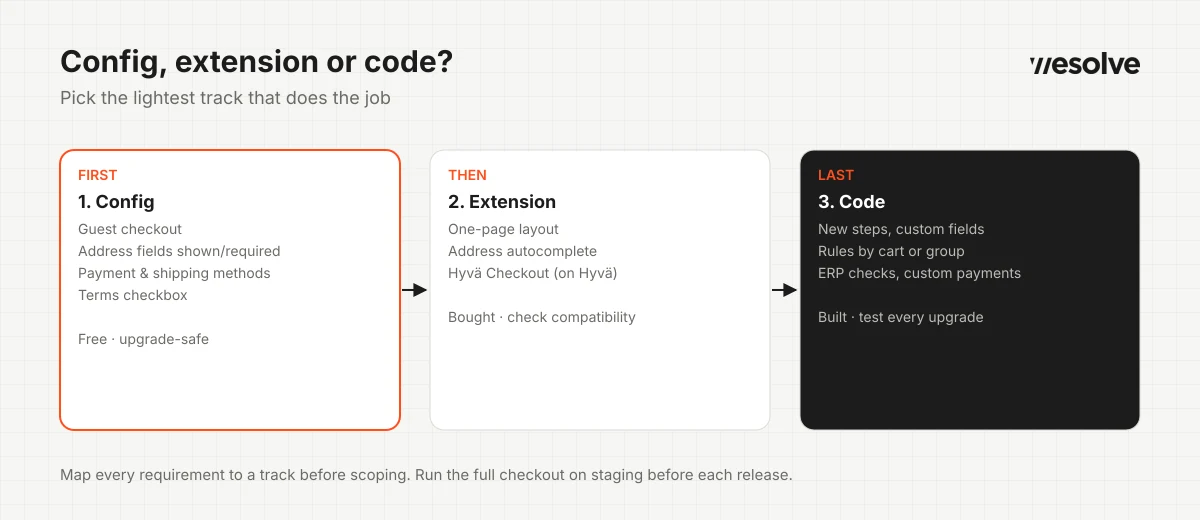
Checkout projects go wrong in two ways: quoting development for something a setting already does, or assuming a setting can do what needs code. Map every requirement to config, extension or code before you scope.
The decision map
| Goal | Approach |
|---|---|
| Guest checkout on or off | Config |
| Show, hide or require phone, company, middle name and similar | Config |
| Payment and shipping methods, their order and countries | Config |
| Terms and conditions checkbox | Config |
| One-page layout | Extension (or a Hyvä Checkout) |
| Address autocomplete | Extension |
| A custom field in the shipping form | Code |
| A new checkout step | Code |
| Fields or steps that depend on cart or customer group | Code |
| Custom payment integration | Code (or the provider’s module) |
| ERP checks at checkout (credit, stock) | Code |
What config already does
- Guest checkout: Stores > Configuration > Sales > Checkout
- Address fields: Stores > Configuration > Customers > Customer Configuration > Name and Address Options (telephone, company, fax, middle name and others: required, optional or hidden)
- Payment and shipping methods: enabled, sorted and limited by country
- Terms and conditions to accept before ordering
Fewer fields and guest checkout are among the cheapest wins in ecommerce. Do these before anything else.
What needs code
The standard (Luma) checkout is built from layout XML and Knockout.js UI components. Changes that need a developer:
- New steps: registered in a module’s
checkout_index_index.xmlwith their own JS component - Custom fields: added by layout, bound with a JS mixin, saved with a plugin or extension attribute
- Changed component behaviour: JS mixins, never edits to core files
- Conditional steps or fields by cart contents or customer group
- Mobile keyboards: an
inputmodeon phone and postcode fields
Test custom steps with virtual and downloadable products, which skip shipping and break code that assumes a fixed step order.
One-step checkout and Hyvä
One-step checkout extensions (FireCheckout, Amasty and others) put everything on one page, often with autocomplete and success-page features. Check compatibility with your theme and payment modules before buying.
On a Hyvä theme, the Luma checkout still works through fallback, but Hyvä Checkout (a separate paid product) replaces Knockout with a faster, simpler stack. Customisations must then be built for it, not ported as-is.
Choosing the path
- Config first. Free, and safe at upgrades.
- An extension when it does what you need without changes. Building a one-page checkout from scratch rarely beats buying one.
- Code for business-specific logic: ERP checks, B2B rules, unusual payment flows.
Custom checkout code is among the things most likely to break on a Magento upgrade. Keep it in clean modules, cover it with tests, and run the whole checkout on staging before every release (staging, upgrades).
Adobe Commerce B2B adds purchase orders and negotiated quotes; customising those is its own work (B2B portal).
When to bring in help
Payment integrations, multi-store checkout rules and high-traffic stores are where mistakes cost money. At wesolve, the team that customises the checkout also runs the servers, so changes, load and incidents have one owner (custom development). Talk to us.
FAQs
Can I customise the success page?
Yes, through checkout_onepage_success.xml and your own blocks, without touching core files.
Is checkout customisation different in Adobe Commerce? The architecture is the same; Adobe Commerce adds B2B flows.
Can I add a step without editing core files? Yes. A module adds it through layout XML and its own JS component.