

A VPS gives your store its own guaranteed CPU, memory and disk. For Magento that matters more than for most platforms: it needs several services running side by side (PHP, database, search, Redis, Varnish), and shared hosting rarely allows or sustains that.
VPS vs shared hosting
| Shared hosting | VPS | |
|---|---|---|
| Resources | Shared with other sites | Reserved for you |
| Search, Redis, Varnish | Usually blocked or throttled | You run them |
| Root access and tuning | No | Yes |
| Neighbours’ traffic | Can slow you down | Isolated |
“Magento-compatible” shared hosting usually means the installer runs, not that the full stack performs under load.
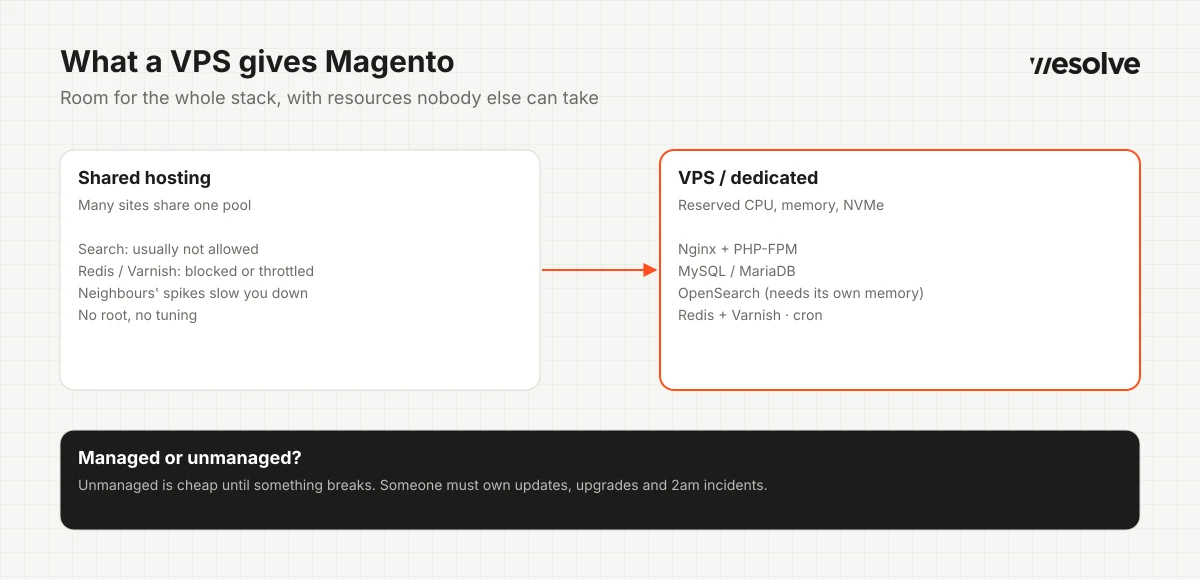
The software stack (Magento 2.4.8)
- PHP 8.3 or 8.4 with the required extensions, and PHP-FPM
- MySQL 8.0/8.4 or MariaDB (supported versions)
- OpenSearch (or Elasticsearch): required for catalog search since 2.4; it’s Java and needs its own memory
- Redis (or Valkey) for cache and sessions
- Varnish for full-page cache
- Nginx (or Apache), Composer 2, and cron
Always check the exact versions for your release (server requirements).
Hardware: starting points
| Use | Memory | Notes |
|---|---|---|
| Staging / development | 4 GB | Small data sets |
| Small production store | 8 GB | Single store, modest traffic |
| Growing store | 16 GB | More traffic, bigger catalog |
| Multi-store, B2B, high traffic | 32 GB+ or several servers | Database and search often split out |
Use fast NVMe disks: indexing and sessions write a lot. Size from your own traffic and catalog, and watch real usage after launch. Adobe’s own minimum (2 GB) is for installing, not for running a shop.
Signs you’ve outgrown your hosting
- Checkout timeouts or errors under load
- Slow admin: saving products, reports, imports
- Resource warnings from your host
- Indexers stuck or behind: stale prices or missing products (cron jobs)
- Slow server response despite front-end work: the bottleneck is the server (speed optimisation)
Moving to a VPS safely
- Build and harden the server with the full stack; confirm each service runs before moving anything.
- Back up code, database and media, off-server.
- Deploy the code (ideally from Git, not copied files), import the database, and write the new
env.phpwith database, Redis and search settings. - Lower DNS TTL a day before; test on the new server with a hosts-file entry before switching.
- Switch DNS, reindex, flush caches, place a test order, and watch the logs for missing extensions or wrong connections.
Plan for integrations: ERPs, couriers and payment providers often whitelist your server IP, so the new IP must be added before the switch.
Managed or unmanaged?
| Unmanaged VPS | Managed Magento hosting | |
|---|---|---|
| OS and security updates | You | Provider |
| PHP, search, database upgrades | You | Provider |
| Who answers at 2am | You | Provider, per SLA |
| Magento know-how needed | High | Low |
| Price | Lower | Higher, labour included |
An unmanaged VPS is cheap until something breaks. If nobody on your team runs Linux servers and Magento in production, the labour you’re not paying for is the risk you’re carrying. Server location also matters for speed: host close to your customers, or put a CDN in front (CDN).
At wesolve, the team that writes your code also runs the servers, so upgrades, tuning and incidents have one owner (managed hosting, hosting pricing). Talk to us.
FAQs
How much RAM does Magento need? For a small production store, start around 8 GB on one server, and size up with traffic and catalog.
Can shared hosting run Magento? It can often install it, but rarely runs search, Redis and Varnish properly under load.
Is a VPS enough for a big store? Up to a point. Larger stores split the database, search and web servers, or use autoscaling cloud setups (cloud hosting).