

Most launches fail in the last mile: a payment gateway left in sandbox, caches off, a missing redirect map. Go through these nine areas in order, and agree a rollback plan before launch day.
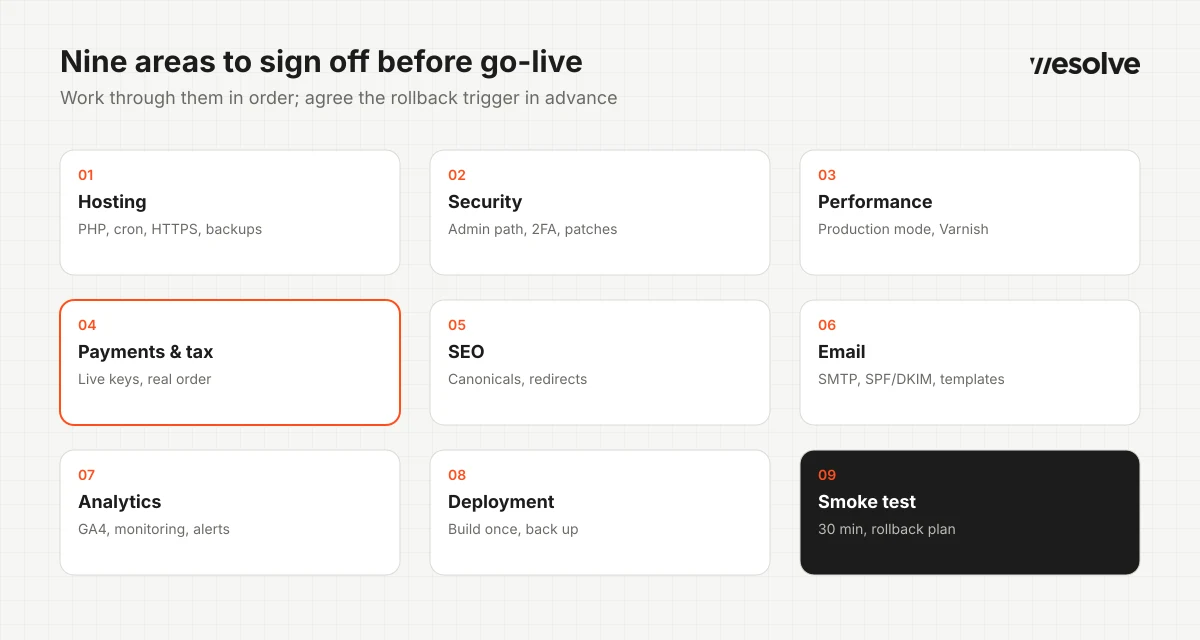
1. Hosting is production-ready
- PHP version and extensions match your Magento release (server requirements)
- PHP
memory_limithigh enough (Adobe recommends 2G) - HTTPS everywhere, certificate auto-renewing, one canonical host (www or not)
- Cron running and all groups processing (cron jobs)
- File permissions tight: writable only where needed (
var,generated,pub/static,pub/media) - Backups scheduled and a restore tested
- Capacity for launch traffic and campaigns
2. Security
- Custom admin path, and admin access limited by IP or VPN where possible
- Two-factor authentication on for every admin (2FA)
- Test and agency accounts removed; each person has their own login
- Latest security patches applied (security patches)
- Security headers at the server (X-Content-Type-Options, frame options, CSP)
- No customer data in debug logs
3. Performance and caching
- Production mode (
bin/magento deploy:mode:set production) - All caches on, Varnish as full-page cache (Varnish and Redis)
- Check the cache actually hits (response headers) on key pages
- Images resized and compressed; consider WebP
- Be careful with Magento’s built-in JS bundling: it often makes pages slower; test before enabling
- Test key pages for speed and Core Web Vitals (speed optimisation)
4. Payments, checkout and tax
- Every gateway on live credentials, webhooks pointing to production (payment gateways).
- A real order with a real card, captured, then refunded.
- Every payment method tested: cards, PayPal, instalments, cash on delivery.
- Tax correct per country and customer type (internationalisation).
- Shipping rates correct for each zone (shipping).
- Guest and logged-in checkout, desktop and mobile.
A gateway left in sandbox means orders that look paid but aren’t. That’s why step 2 uses real money.
5. SEO, URLs and redirects
- Base URLs point to the production domain with HTTPS
- Canonical tags on products and categories
- Titles and descriptions on key pages
- XML sitemap generated by cron and submitted to Search Console
- robots.txt blocks checkout, account and internal search paths, and staging’s “noindex” is gone
- 301 redirects for every old URL on a migration, tested before launch
6. Transactional email
- Sending through a proper SMTP or email service, not the server’s local mail
- SPF, DKIM and DMARC published for your domain
- Sender names and addresses set (Stores > Configuration > General > Store Email Addresses)
- Every template checked: order, invoice, shipment, credit memo, account, password reset
- Each one triggered and checked in Gmail and Outlook inboxes
7. Analytics and monitoring
- GA4 with e-commerce events (view, add to cart, checkout, purchase), verified in DebugView (Google Analytics)
- Ad conversion tags firing on the success page, with cookie consent in place
- Search Console verified
- Uptime and error monitoring with alerts, plus application monitoring (New Relic, uptime)
8. Deployment
Build once, deploy the result: don’t compile on the live server during launch. Back up the database right before go-live, use maintenance mode only for the cutover, and lower DNS TTL a day ahead. Rehearse the whole sequence on staging (staging).
9. Smoke test and rollback
Within the first 30 minutes, in a private browser:
- Home, category, product pages: images, prices, no console errors
- Add to cart, guest checkout, logged-in checkout
- Order email arrives, branded and correct
- Admin login with 2FA; the test order is in Sales > Orders
- Logs (
var/log/exception.log,system.log) clean - Search, filters and the mobile menu work
Agree the rollback trigger in advance: for example, if checkout fails and isn’t fixed within 30 minutes, restore and switch DNS back. A delayed launch beats a broken one.
At wesolve, the team that builds the store runs the launch and the servers, with this checklist on every go-live. Talk to us.
FAQs
Should caches be off at launch? No. Production mode with all caches on, flushed after the final deploy.
Can I launch without staging? You can, but you’ll be testing payments and deployments on the live store. Don’t.
What if a gateway stays in sandbox? Orders look paid but no money is captured. Test with a real card.